

Standard Criteria
The default trigger mode, available on both Bidding and Negation rules, and the one to use when you can state your rule as a sentence.
What it does
Section titled “What it does”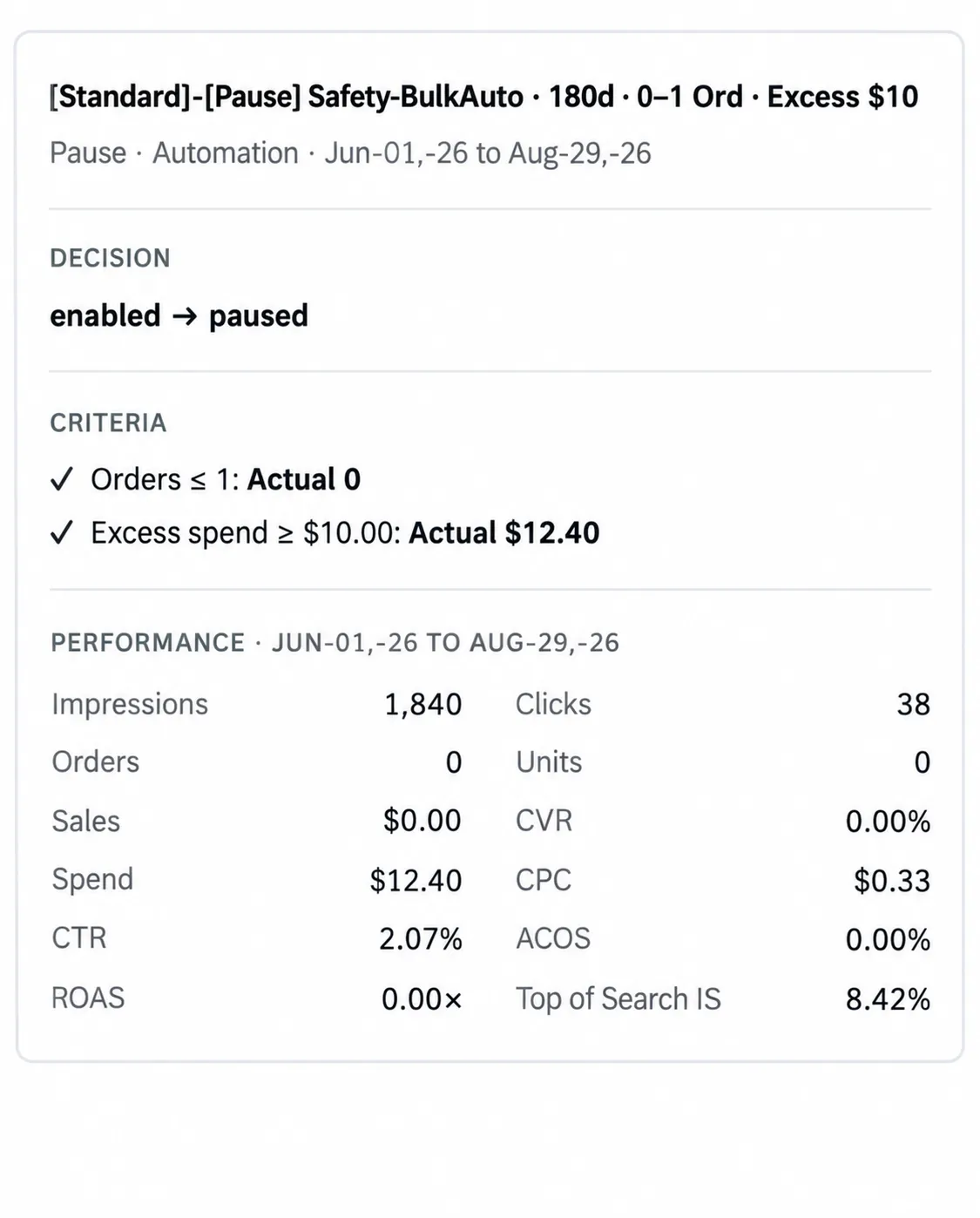
Every criterion is shown with the number that satisfied it, so a decision can be checked line by line.
The rule runs its action when every threshold in the selected Criteria passes inside the Data Window. All conditions must hold. A Criteria is an AND, not an OR.
When the rule also has Campaign Criteria, the App evaluates those thresholds against the total performance of the Campaign containing the target. Target Criteria and Campaign Criteria are also an AND: both must pass before the action proceeds.
When to use it
Section titled “When to use it”When you already know the condition you are looking for and can express it as thresholds — spend above a figure with orders below another, a conversion rate under a level with enough clicks to mean something, and so on.
This covers most rules most of the time. It is best for no-sale, low-sale and high-ACOS cases that can be settled inside a single Data Window.
For example, a Bidding rule could require target Spend of at least $20, Orders at or below 1,
and Campaign Spend of at least $200. The first two thresholds read the target; the Campaign
Criteria confirms that the containing Campaign has enough activity for the decision to matter.
Figures are illustrative, not measured performance.
What it cannot see
Section titled “What it cannot see”Standard Criteria evaluates the window as a single block. It knows whether the thresholds passed across the window; it does not know whether the target was fine for the first two months and fell apart in the last three weeks.
Two things follow from that:
- A short window reacts quickly but mistakes a bad fortnight for a broken target.
- A long window is stable but slow to notice a real change.
If that trade-off is the problem you are solving, the trigger that fits depends on the rule:
- On a Bidding rule, Momentum Guard holds a long baseline and watches shorter checkpoints against it.
- On a Negation rule, Performance Deterioration confirms the term was once good before it acts on the fact that it no longer is.
Considerations
Section titled “Considerations”- Thresholds interact with the Data Window. The same thresholds mean different things over 30 days and 180 days. Change one and re-read the other.
- Criteria are reusable. Editing a shared Criteria changes every rule that uses it.
- Reusing Criteria as Campaign Criteria does not change the thresholds, only which entity’s metrics they read. Name shared Criteria so that use remains understandable in both contexts.
VendlenPrivacy PolicyTerms of ServiceContact
© 2026 HELODA PTE. LTD. Not affiliated with or endorsed by Amazon.