

Anatomy of a rule
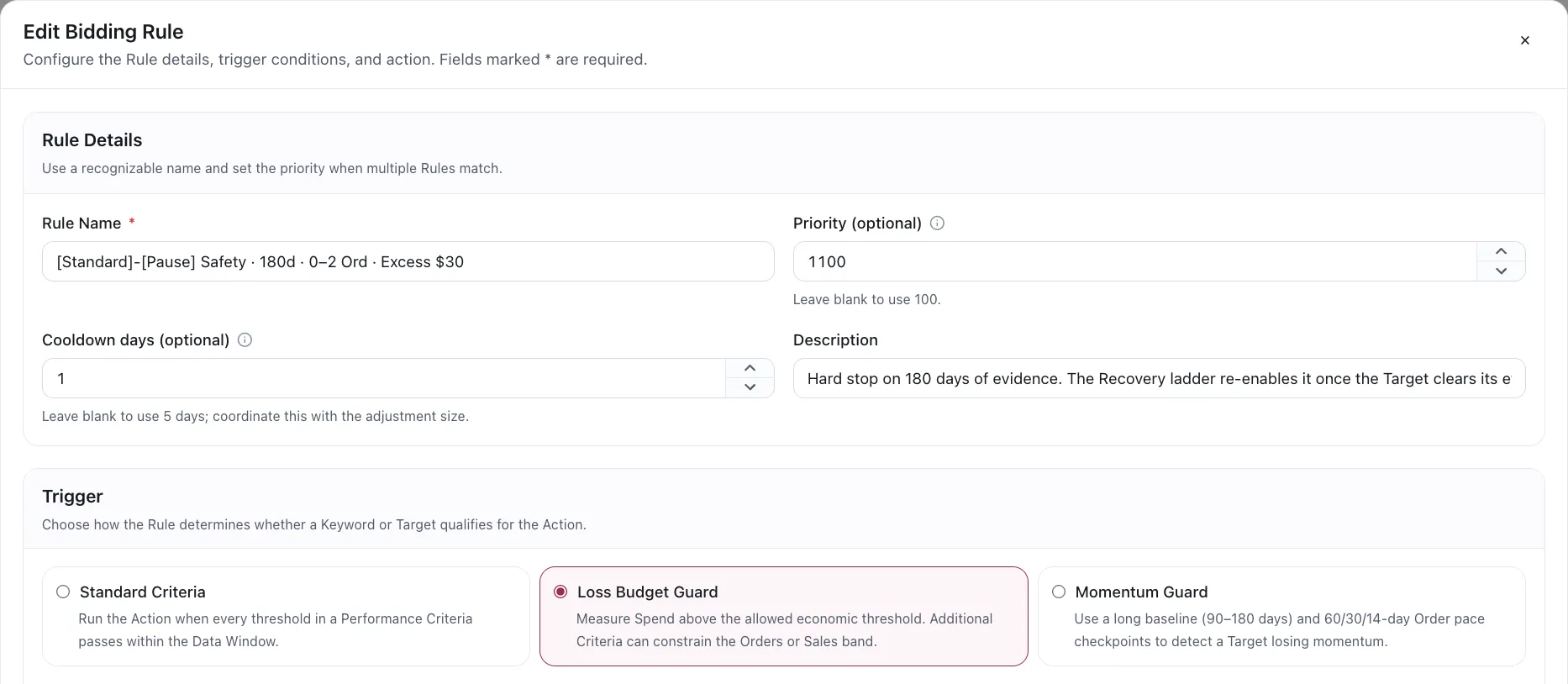
All rules follow the same structure, regardless of what they change.
1. The action
Section titled “1. The action”What the rule changes. Three rule types ship: Bidding, Import and Negation — plus the word-level negation rule, which is a variant of the last. The action determines which type you are configuring; see the Rule types section, which also covers the state, budget and placement rules that are not generally available yet.
2. The criteria
Section titled “2. The criteria”The thresholds that must be true. Criteria are reusable: the same set can be shared between rules rather than retyped, and they live in their own library.
Some trigger modes need more than one Criteria. A Performance Deterioration rule carries a Historical Criteria as well, because it has to establish two different facts about the same term.
Rules may also carry optional Campaign Criteria. These read the total performance of the Campaign containing the target. When target Criteria and Campaign Criteria are both present, both must pass.
3. The trigger mode
Section titled “3. The trigger mode”How the rule decides its action is warranted. The trigger belongs to the rule, not to the action, and which modes are available depends on the rule type:
| Rule type | Available trigger modes |
|---|---|
| Bidding | Standard Criteria (default), Loss Budget Guard, Momentum Guard |
| Negation | Standard Criteria (default), Performance Deterioration |
An unnegation rule always runs Standard Criteria — the App forces it back, whatever else is set.
Other rule types do not offer a choice: they evaluate their Criteria directly, which is what Standard Criteria does.
4. The Data Window
Section titled “4. The Data Window”How far back the rule may look. Default 90 days, hard maximum 180, with the most recent days ignored by default. See Data Window.
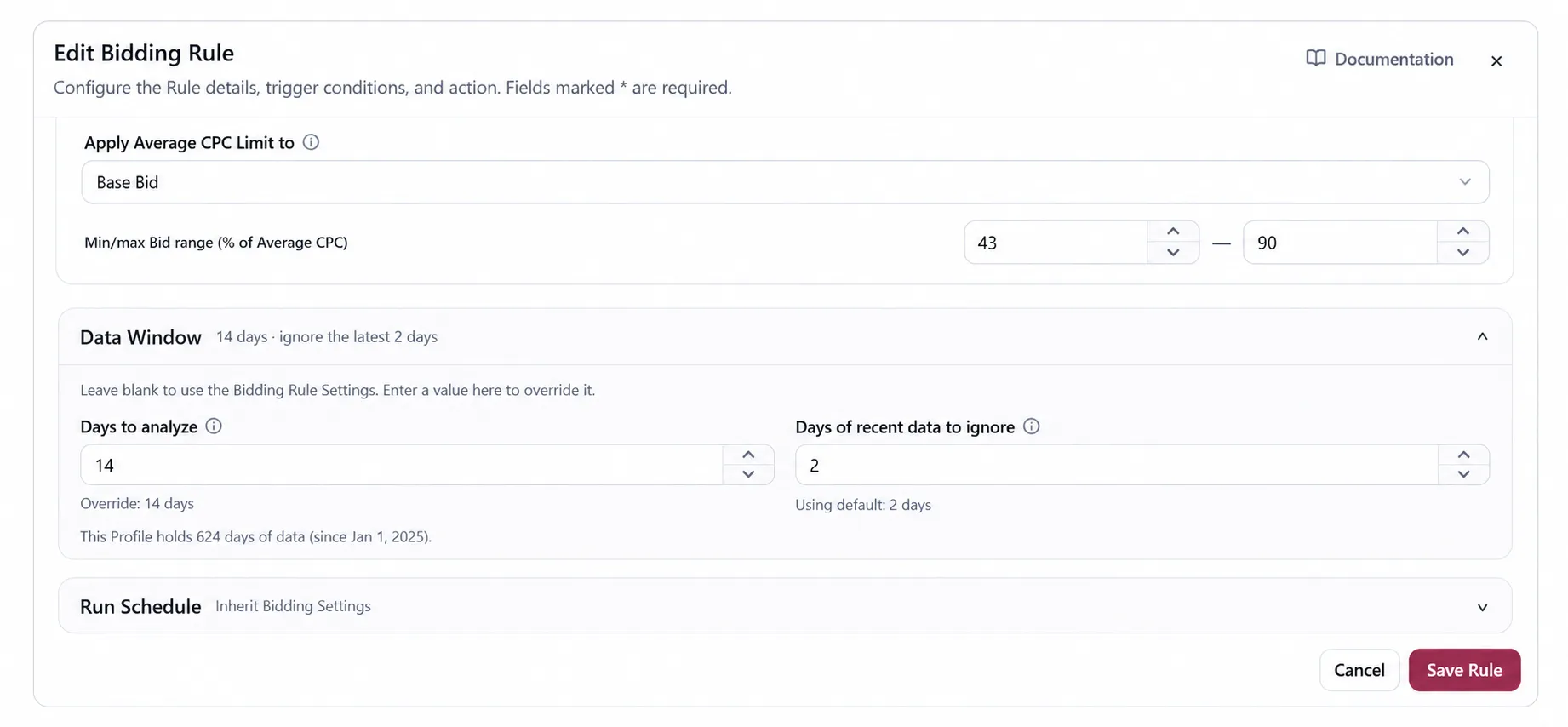
Two trigger modes read their own windows instead: Performance Deterioration scores its Historical Window, and Momentum Guard evaluates its Criteria over its baseline. On those rules the Data Window no longer decides whether the rule triggers — though on a Bidding rule it still drives the bid arithmetic itself, which is a reason to keep it short rather than matching it to the baseline. See Momentum Guard.
5. The scope
Section titled “5. The scope”For the rules that create or remove negatives — negation, unnegation and the word rule: Individual ASIN or Product Group. The Import rule reads search-term evidence too, but has no scope setting; it is bounded by its search terms source instead. See Decision scope.
Scope widens the evidence, never the change.
Do not confuse this search-term scope with a Bidding rule’s Rule Applicability. Applicability filters targets by Ad Product, Billing Basis and Target Kind before Criteria are evaluated; it does not aggregate evidence.
6. The assignment
Section titled “6. The assignment”The assignment specifies which ad groups the rule applies to. Without an assignment, the rule has no ad groups to evaluate and will not make any changes.
Limits and boundaries
Section titled “Limits and boundaries”Separately from criteria, a rule carries boundaries it may not cross: how far a bid may move, and the floor and ceiling it must stay inside. Criteria decide whether to act. Boundaries decide how far the action may go.
A rule also carries a name and a priority.
Settings and schedule overrides
Section titled “Settings and schedule overrides”Data Window, recent-data exclusion, run weekdays and excluded dates come from the Rule Type Settings by default. A rule can override them without changing the shared defaults. The effective values are shown in the editor, so check whether a rule says Inherit or Override when two similar rules behave differently.
Cooldown: the countdown after a change
Section titled “Cooldown: the countdown after a change”A Bidding rule carries a cooldown. Once it changes a target’s bid, that target is locked for a number of marketplace days and no Bidding rule may move it again until the lock opens.
The cooldown is a ceiling, not a fixed wait. A target that gathers evidence quickly gets a decision sooner; one that does not waits out the full countdown.
Why it exists
Section titled “Why it exists”A bid change needs traffic before it means anything. Without a cooldown a rule would re-read the same target the next day, see the same thin evidence, and move the bid again — chasing its own tail.
The three settings
Section titled “The three settings”| Setting | What it does |
|---|---|
| Cooldown days | The longest the target stays locked. Default 5. |
| Minimum clicks | Once at least one day has passed, this many clicks releases the lock early. |
| Minimum spend | Once at least one day has passed, this much spend releases the lock early. |
Leave the two minimums blank and the target simply waits out the full countdown.
A State Change action ignores both minimums. Enabling or pausing a target is not a bid decision, so there is no evidence to accumulate — it waits the cooldown out.
Choosing a number
Section titled “Choosing a number”Set it from how fast the target actually gathers clicks. A high-volume keyword can settle a bid question in two days; a long-tail target may need a week, and a short cooldown there just means the rule keeps acting on noise. Setting the minimums lets you have both: a long ceiling for slow targets, released early for the fast ones.
What is not part of the rule
Section titled “What is not part of the rule”Delivery. What a rule decides and what reaches the account are different steps — the run produces a preview, and applying is what sends it.
VendlenPrivacy PolicyTerms of ServiceContact
© 2026 HELODA PTE. LTD. Not affiliated with or endorsed by Amazon.