

Inbound Pipeline
Open it from /inventory → Inbound Pipeline. The Inbound Pipeline is the finished-goods view of
stock between your manufacturer and an Amazon warehouse, with one column for each lot. For the full
shipment register — including AWD transfers and AWD → external (MCD) orders — use Shipments.
What a lot is
Section titled “What a lot is”The first two columns are not lots: they are your current sellable stock in FBA and the shared AWD pool. Every column after those is an individual lot — a purchase order, a shipment, or an AWD lot — carrying:
- a pickup date, and
- an estimated arrival.
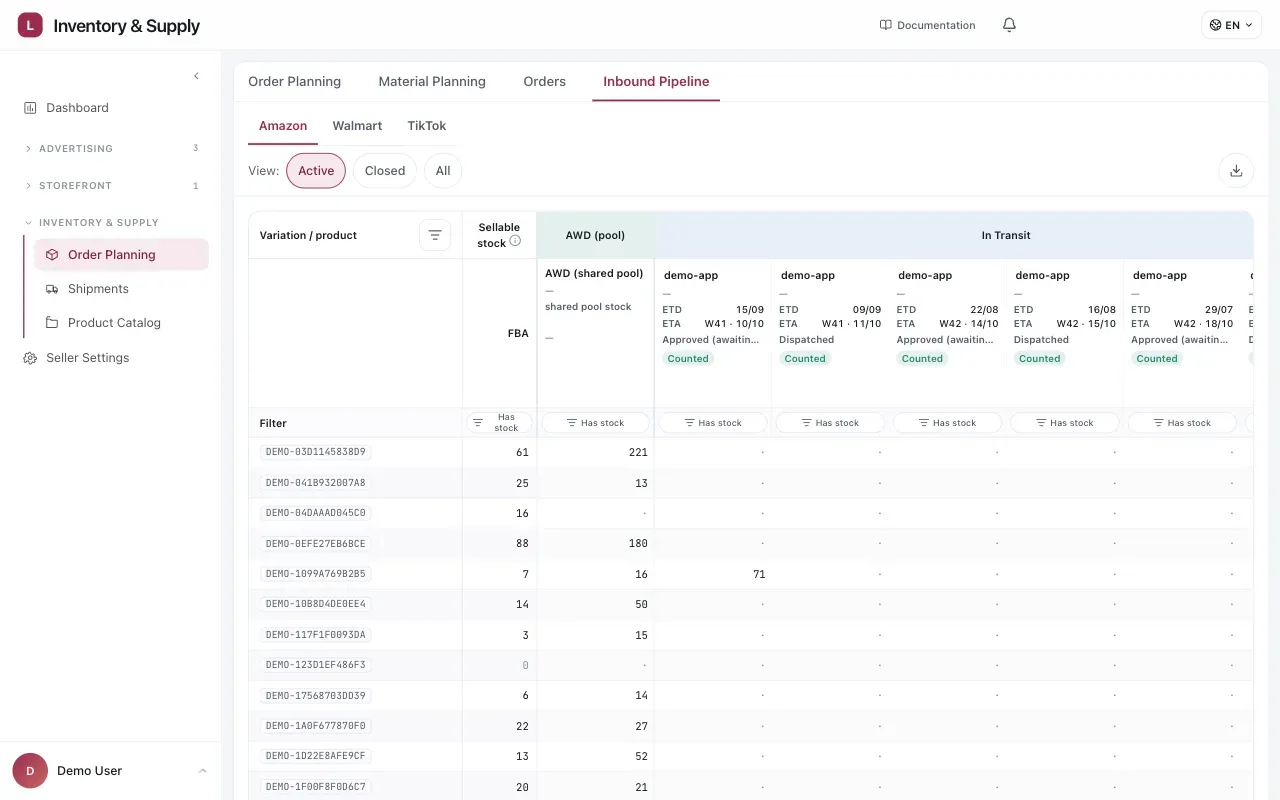
One column per lot, not one column for “inbound”. The Counted badge identifies shipments included in planning.
Reading a lot column
Section titled “Reading a lot column”The header carries the identifier and the state, and the states are worth telling apart:
| State | What it means |
|---|---|
| History only | Arrived or completed. It is in your stock now, not on its way |
| Tracked | Included in the inventory plan, so its quantity counts in the projection. Manage tracking is where that changes |
| Not tracked | An Amazon shipment Vendlen can see but that is not in the plan. Its quantities are shown for review and are left out of the projection until you add it |
| Approved, awaiting dispatch | A shipment plan that has been approved but has not left yet |
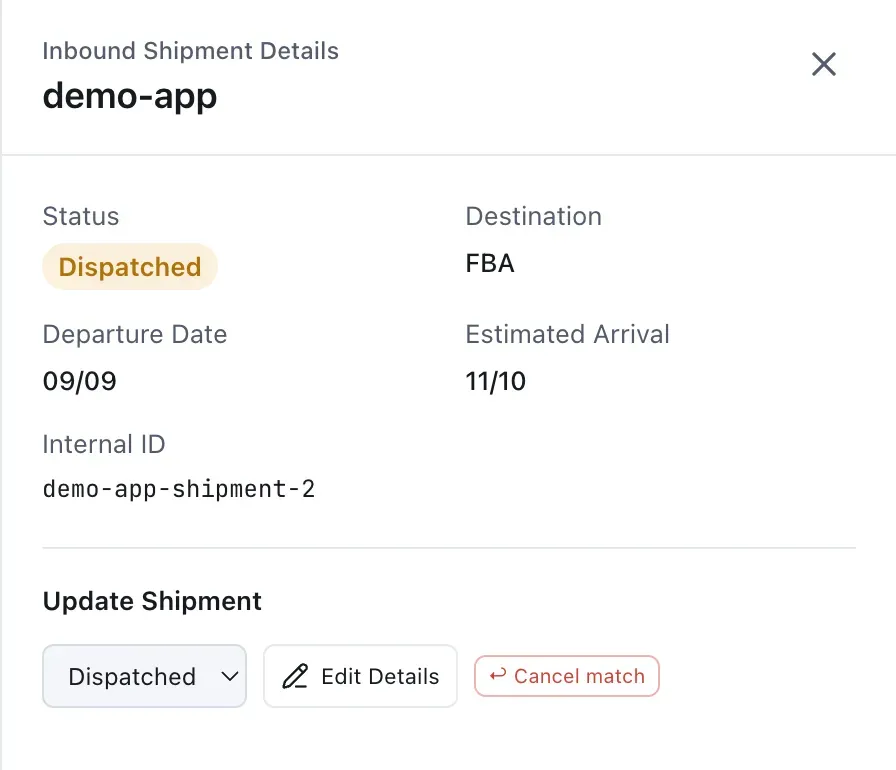
Open a lot to verify the dates and match that make it count in the projection.
Tracked is not about being in transit — a delivered lot can still carry the badge. It is about whether the plan counts it. Untracked inbound is invisible to the projection, so the grid shows a shortage you have already solved. Adding it to the plan is the fix.
The cells beneath are the boxes of each Sales SKU in that lot, so you can see which pack sizes it is carrying — which is what decides whether it relieves the row that is short.
A healthy AWD figure against a thin FBA one is a replenishment problem, not a supply one. The pipeline does not list MCD orders; those are maintained on the Shipments page.
How it connects to the projection
Section titled “How it connects to the projection”The estimated arrival is what puts the marked week in the stock projection. Open a projection cell that shows units arriving and you can follow it to the lot they came from.
That link is the point of holding the chain in one place. A number in the grid is always traceable to a shipment that exists, with a date somebody committed to.
Keeping it accurate
Section titled “Keeping it accurate”A lot that slips and is not updated makes every downstream week optimistic — the projection will show cover you do not have, and Order Planning will not raise a proposal you need.
When an arrival date moves, move it here. Everything downstream re-reads from it. Use the Shipments register to update or inspect marketplace tracking details such as AGL IDs and received-unit status.
Considerations
Section titled “Considerations”- Estimated arrival is an estimate. Treat the week it lands as approximate and keep the buffer doing the work it exists to do.
- A lot mapped to the wrong shipment is worse than an untracked one, because it looks correct.
VendlenPrivacy PolicyTerms of ServiceContact
© 2026 HELODA PTE. LTD. Not affiliated with or endorsed by Amazon.