

Order Planning
Order Planning turns a projected shortage into a proposal: what to order, for which channel, and the
week it has to arrive. Open it at /inventory and select Amazon, Walmart, or TikTok in the channel
control above the grid.
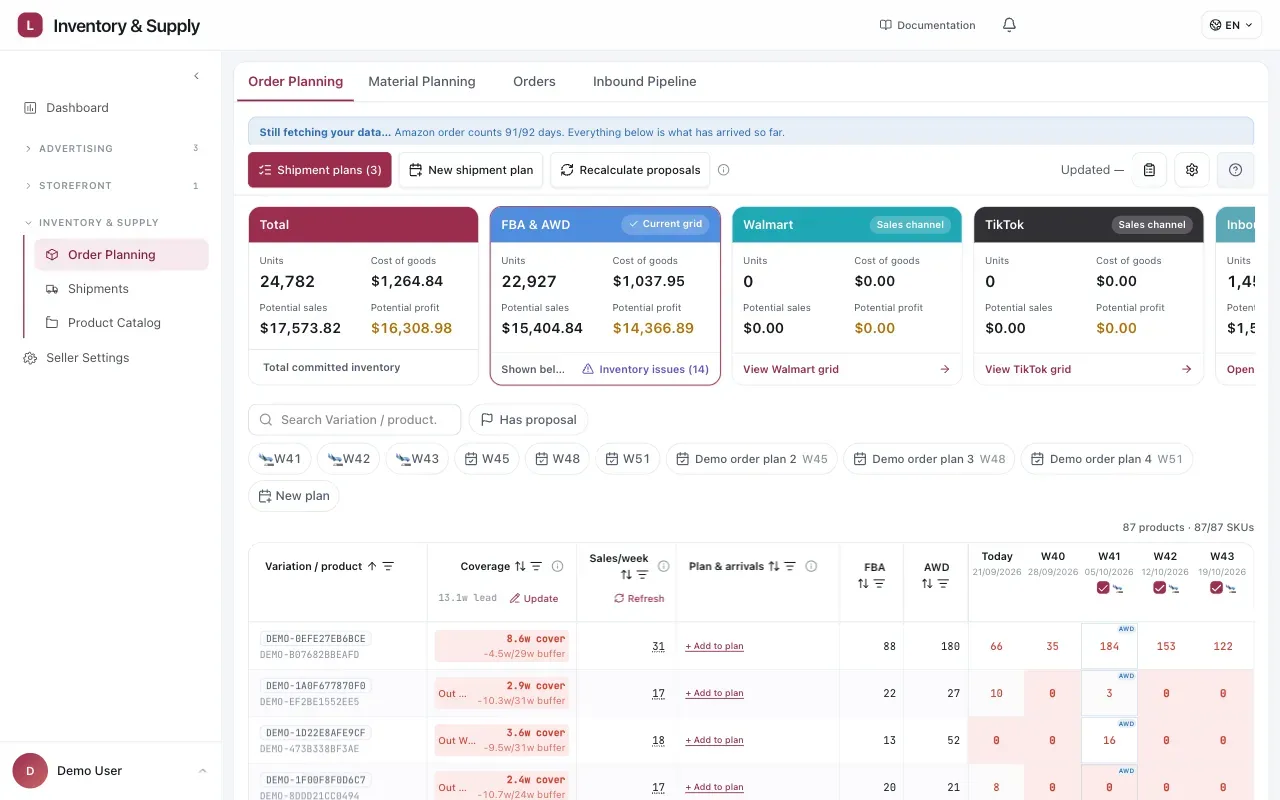
Order Planning brings channel totals, current stock, proposals, and the week-by-week projection into one workspace.
When a proposal appears
Section titled “When a proposal appears”A shortage alone is not enough. At proposal time there is one threshold: the minimum run that makes sense for a production SKU, expressed in production units. Until the shortage clears it, the row says it is waiting rather than proposing a quantity it knows you cannot place.
The manufacturer’s own minimum — the total across every production SKU in one order — is a second, later check. It is evaluated when the plan becomes a purchase order, not when the proposal is written. See Purchasing and Production.
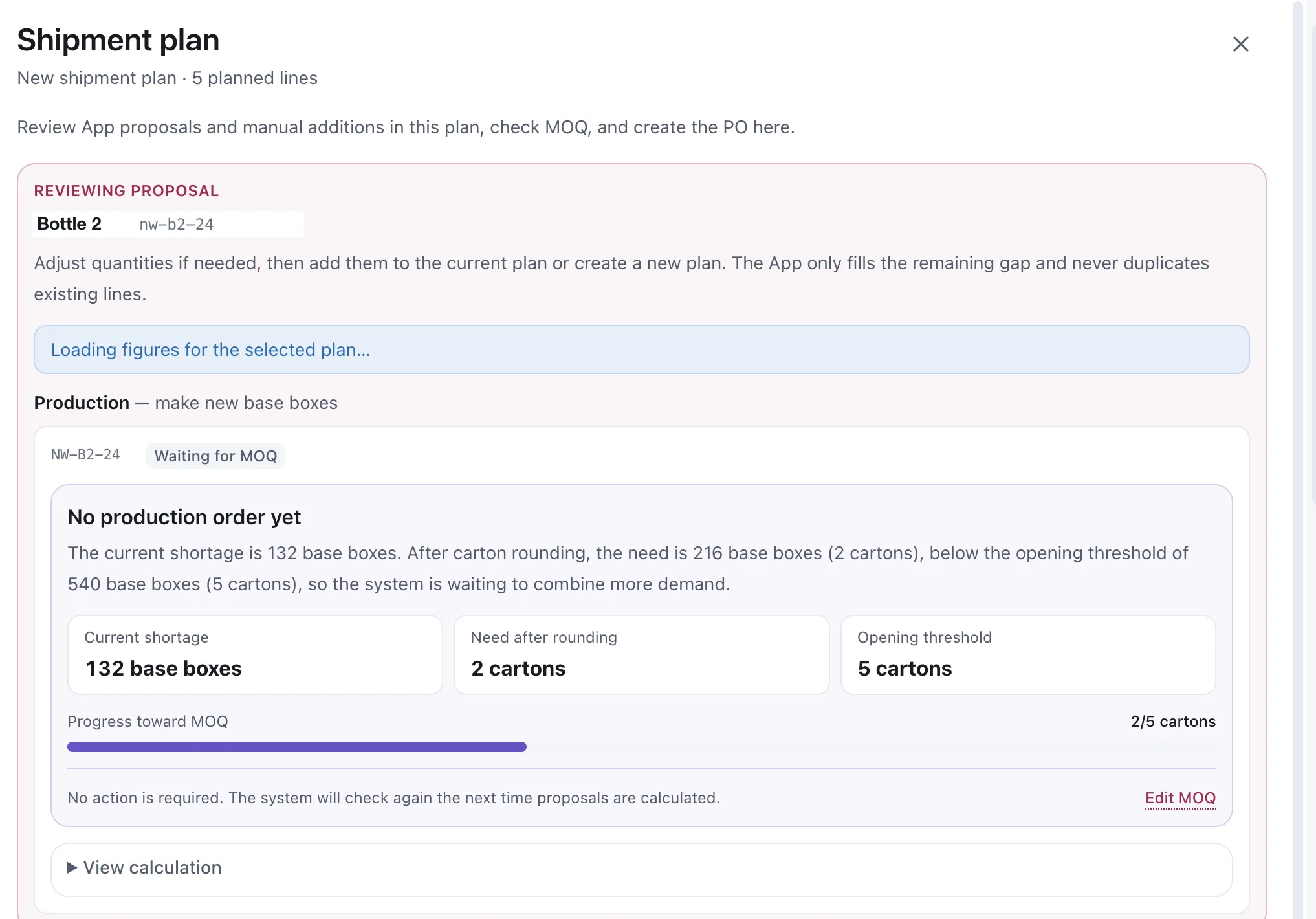
A SKU that is genuinely short and still not ready to order, with the arithmetic that says so.
The drawer it sits in
Section titled “The drawer it sits in”That card is inside the Shipment plan drawer, which is where proposals are reviewed: “Review App proposals and manual additions in this plan, check MOQ, and create the PO here.” The header names the plan and how many lines it holds, and the card above is under a Production heading — this is a run of new production units, not a transfer of stock you already have.
Two things the drawer states are worth carrying with you:
- Quantities can be adjusted, then added to the current plan or to a new one.
- The App fills only the remaining gap and never duplicates existing lines. Adding a proposal to a plan that already has a line for that SKU tops it up; it does not order it twice.
View calculation opens the working behind the figures, for when you would rather see it than take it.
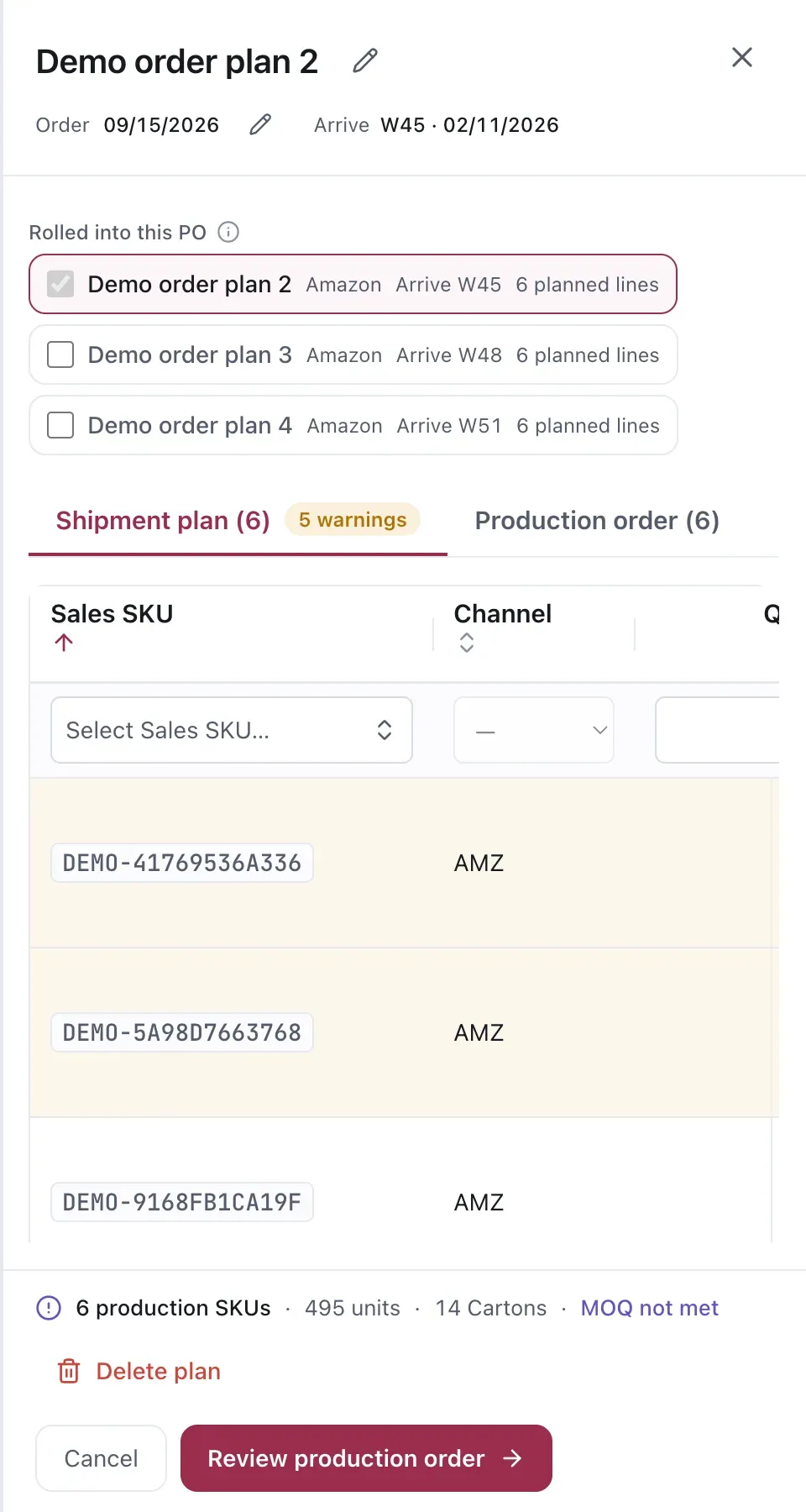
The drawer keeps the sales-SKU demand beside the production-order total and its MOQ status.
Rounding, and the threshold it has to clear
Section titled “Rounding, and the threshold it has to clear”The shortage is not the order quantity. Two things happen to it first.
Carton rounding. Manufacturers ship cartons, not loose boxes. A shortage of 132 production units becomes a need of 216 — two full cartons — because 1.2 cartons is not a thing anyone can produce.
The opening threshold. A run has to be worth opening. Two cartons against a threshold of five means the system holds the demand rather than placing a run a third of the size it should be.
The card states all three numbers side by side — the shortage, the need after rounding, and the threshold — and a progress bar shows how close the accumulated demand is to clearing it. Nothing is required from you while it waits: the check runs again every time proposals are recalculated.
The opening threshold and the per-production-SKU MOQ you meet again at the purchase order are the same setting, seen twice. Edit MOQ opens it.
Reading a proposal
Section titled “Reading a proposal”A proposal carries:
- The Sales SKU it is for. Older data contracts may call this a pack SKU.
- The quantity.
- The week. On a plan line this is the arrival week — the week the stock lands, shown as a week number and a date. Working back from it through transit and production is what gives you the week the order has to be placed.
The date is the part that matters. A quantity you can revise; a date that has already passed you cannot.
Combining SKUs
Section titled “Combining SKUs”Several Sales SKUs from the same production run will often reach their order week around the same time. Planning them together is usually how a run clears the manufacturer’s minimum — see Purchasing and Production.
Considerations
Section titled “Considerations”- A proposal is derived from the current selling rate. If you know demand is about to change, the proposal does not.
- Changing the buffer changes every order week for that SKU. That is the intended effect, but check the projection afterwards rather than assuming.
VendlenPrivacy PolicyTerms of ServiceContact
© 2026 HELODA PTE. LTD. Not affiliated with or endorsed by Amazon.