

How a rule evaluates data
Knowing the order makes most “why did it do that?” questions answerable without support.
The order
Section titled “The order”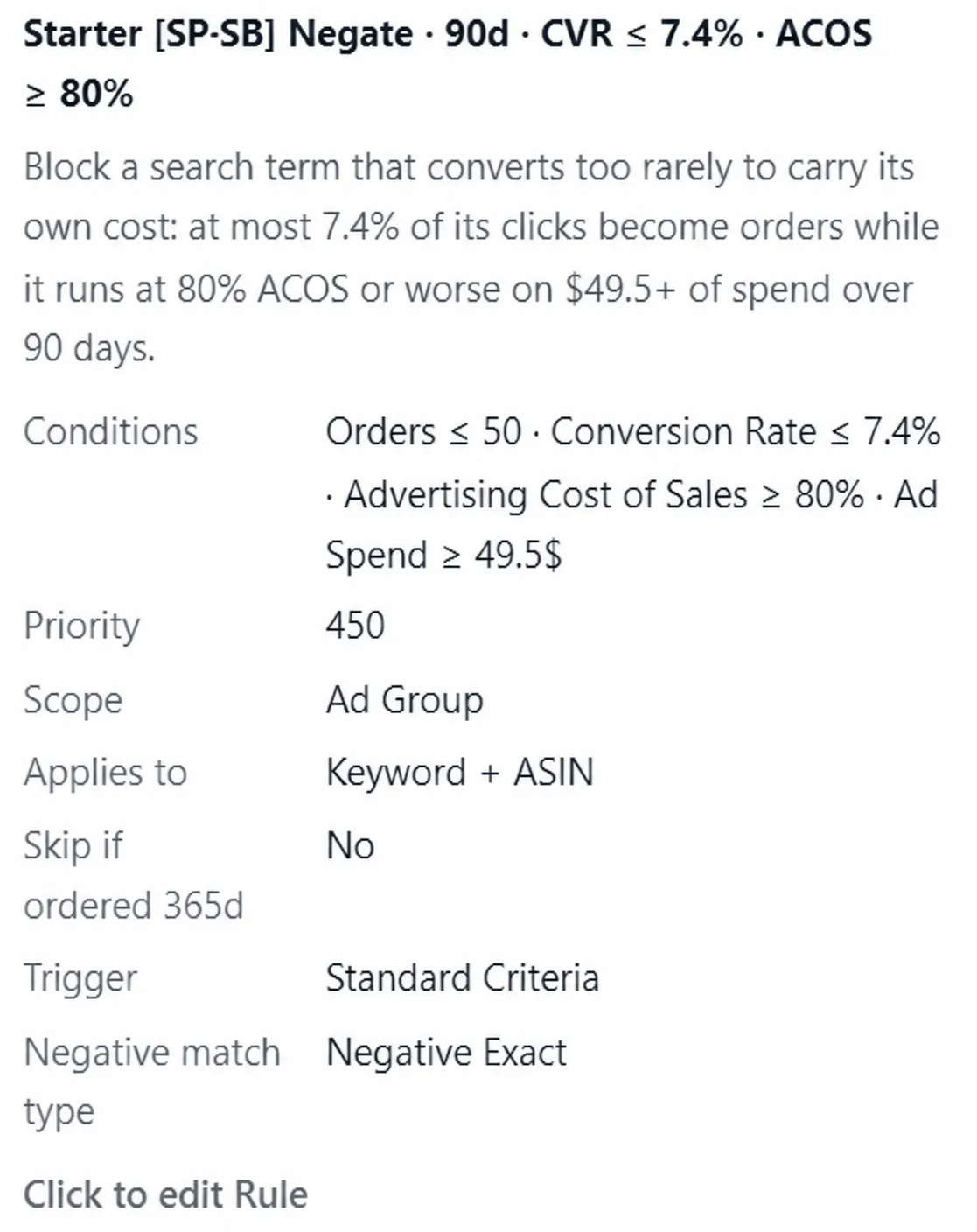
What a completed evaluation looks like: the action, then every criterion with the value that met it.
1. Collect the assignment
Section titled “1. Collect the assignment”The rule looks at the ad groups it is assigned to, and the targets inside them. Nothing outside the assignment is considered.
2. Open the window
Section titled “2. Open the window”Performance is read across the rule’s Data Window, with the most recent days excluded by default because Amazon’s attribution is still arriving.
Two trigger modes read their own windows instead: Performance Deterioration reads its Historical Window plus the fixed 60 and 30 day checkpoints, and Momentum Guard reads its baseline plus the checkpoint ladder.
3. Settle the scope
Section titled “3. Settle the scope”For rules that read search-term evidence, the rule reads either the Individual ASIN’s evidence or the aggregated Product Group evidence, depending on its scope setting.
For a Bidding rule, this stage instead applies Rule Applicability: Ad Product, Billing Basis and Target Kind. A target outside that delivery envelope is skipped before its performance thresholds are considered.
For Negation and Unnegation, this stage also groups search terms by campaign, ad group and Amazon-style close variant. Criteria are evaluated on the family’s summed performance, not on each text row independently. Negative product targets continue to evaluate per row.
4. Apply the trigger mode
Section titled “4. Apply the trigger mode”The trigger mode decides whether the action is warranted at all, using whichever modes that rule type offers:
- Standard Criteria asks whether every threshold passed inside the window.
- Loss Budget Guard measures money lost above an allowed threshold.
- Momentum Guard evaluates its Criteria over a long baseline, then compares that baseline against shorter order-pace checkpoints and fires if any one of them crosses.
- Performance Deterioration requires the Historical Criteria to pass and the Recent Criteria to pass at both 60 and 30 days.
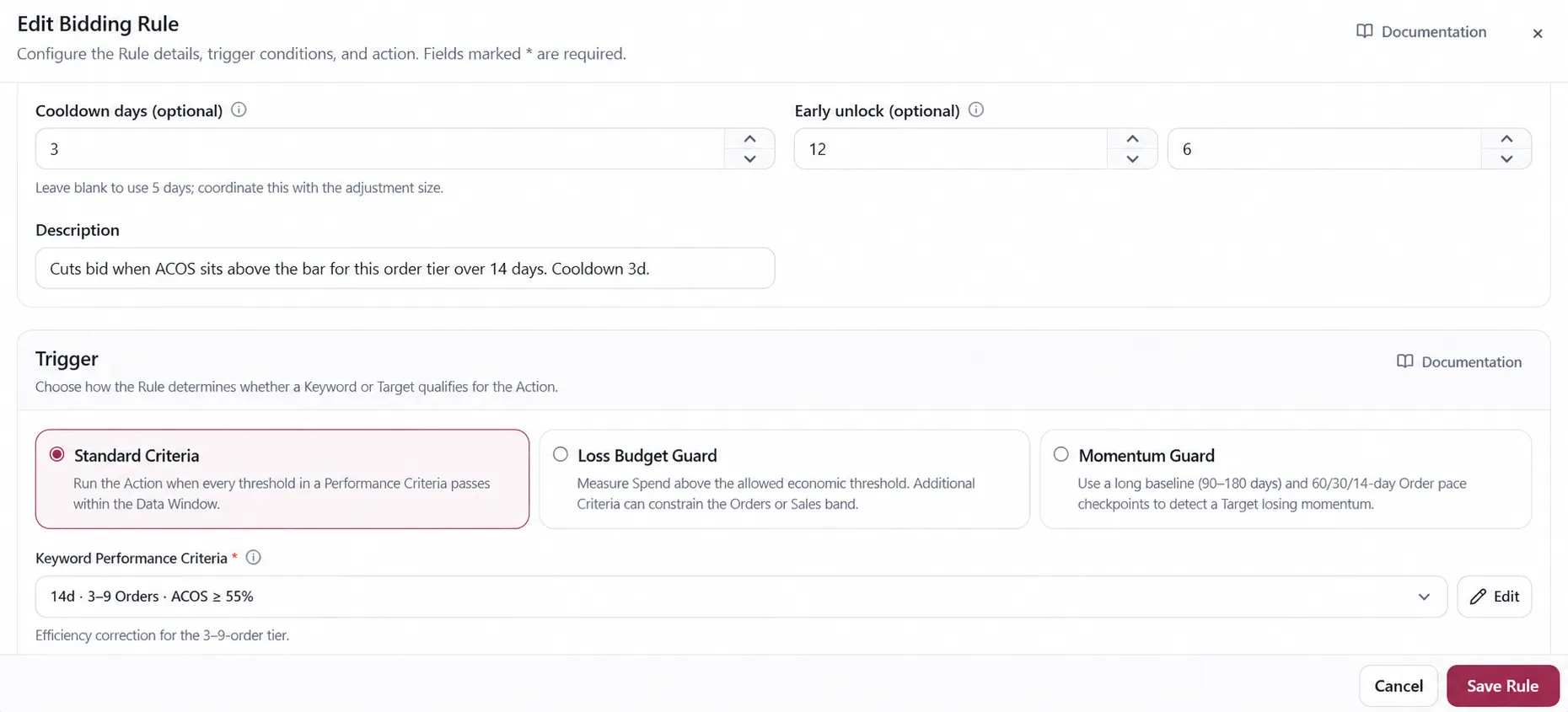
When Campaign Criteria is present, it must pass against the containing Campaign’s totals as well as the target-level trigger conditions.
A target that fails here is skipped, and the run records that the criteria were not met.
5. Apply the safeguards
Section titled “5. Apply the safeguards”A target the safeguards exclude produces no change even when the trigger passed. On a negation rule the checks include the Sponsored Brands targeting lock, the whitelist unless the rule explicitly ignores it, the 365-day orders safeguard, and whether the term is already negated. See Negation and unnegate rule.
On a Bidding rule imported with dedicated minimum or maximum Top of Search Impression Share safeguards, those values are checked here. The current rule editor instead exposes Top of Search IS as a Criteria metric. Cooldown and cross-rule priority are settled before the final actionable set is staged.
Each exclusion is recorded with its own reason, so a skipped target tells you which check stopped it rather than only that nothing happened.
6. Calculate and constrain the action
Section titled “6. Calculate and constrain the action”For a bid, the App calculates the target, applies the ACOS direction gate, applies the per-run cap, then applies user boundaries and Amazon’s unconditional technical limits. User boundaries come after the per-run cap and may require a larger move. See Bidding rule for the complete order and the asymmetric ceiling and floor behavior.
7. Stage or deliver
Section titled “7. Stage or deliver”The result appears in the run’s preview. Either way the run records what it decided.
Reading a result you did not expect
Section titled “Reading a result you did not expect”Work backwards through the same list:
- Was the target in the assignment?
- Was the evidence inside the window the trigger actually reads — which is not always the Data Window?
- Was the scope what you assumed?
- Did the trigger mode measure what you thought it measured?
- Did a safeguard exclude the target, and which one?
- Did a boundary clamp the size of the change?
For Bidding, read “scope” as Rule Applicability and also check Campaign Criteria, Top of Search share, cooldown and priority. The Bidding rule page lists the common missing-input and invalid-limit skip patterns.
In practice, steps 1, 2 and 5 account for most surprises.
VendlenPrivacy PolicyTerms of ServiceContact
© 2026 HELODA PTE. LTD. Not affiliated with or endorsed by Amazon.