

Harvest, negate and unnegate
Three actions on a search term, and they are the manual equivalents of the Import and Negation rules.
Adding negatives in bulk
Section titled “Adding negatives in bulk”Select the ad groups you want protected, paste what you want blocked, and the dialog sorts out where each entry can go.
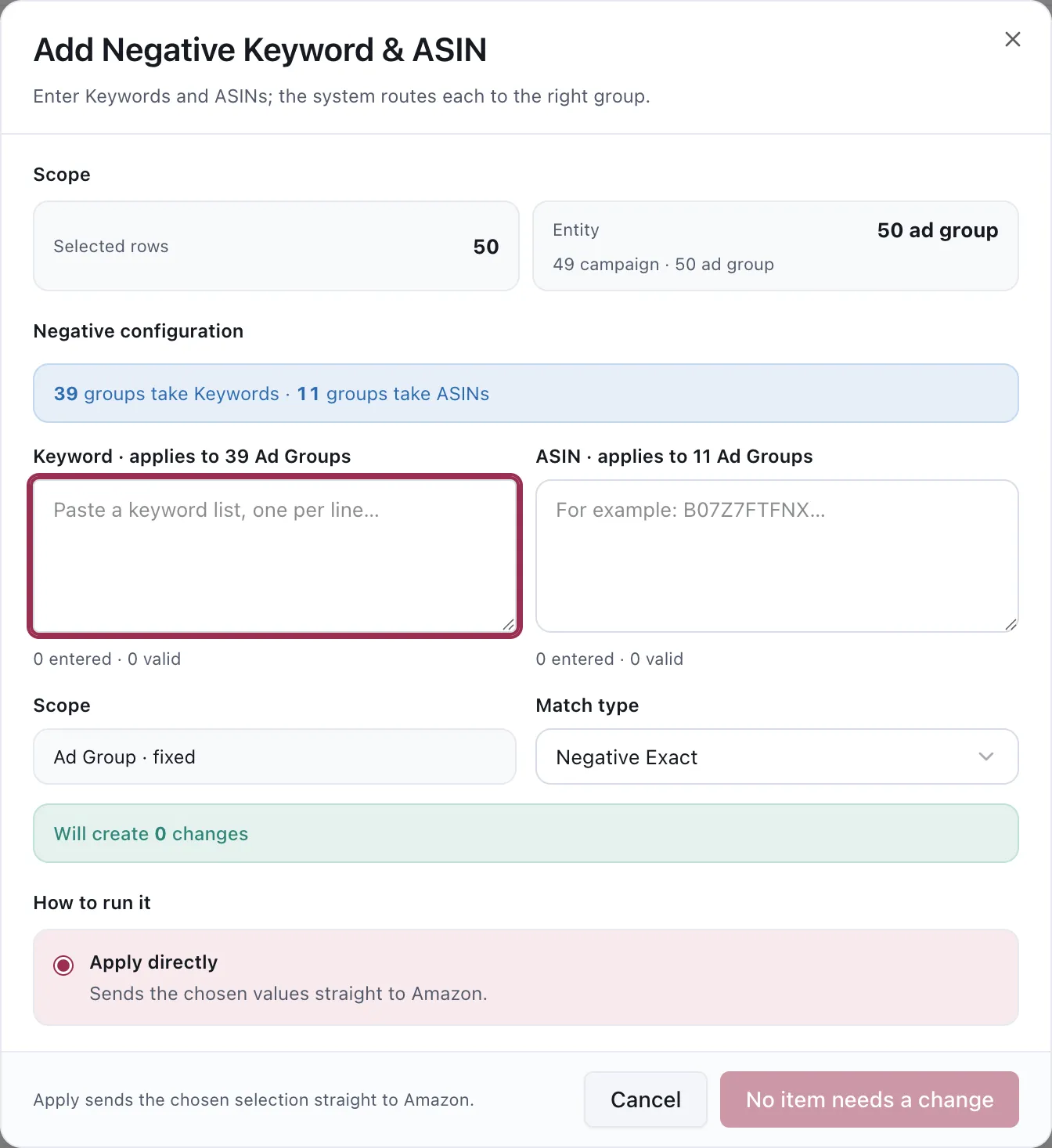
Keywords and ASINs go in separate boxes because not every ad group accepts both.
Why there are two boxes
Section titled “Why there are two boxes”Sponsored Brands decides at creation time whether an ad group targets keywords or products, and Amazon rejects a negative of the wrong kind. So the dialog splits your selection — 39 groups take Keywords, 11 groups take ASINs — and routes each list only to the groups that can accept it.
That is also why an Automation rule sometimes skips a target for unsupported targeting: same constraint, same reason. See Why didn’t my rule run?
Entering the list
Section titled “Entering the list”Paste one entry per line. The counter under each box shows entered and valid, so a malformed ASIN or an empty line is visible before you apply rather than after.
Match type
Section titled “Match type”Negative Exact blocks the query you name. Negative Phrase blocks anything containing it, and catches queries you have not seen yet.
Phrase is wider than people expect. A phrase negative on a common word blocks every query that contains it, including the ones you wanted — worth checking the phrase is not inside terms you are still earning on.
Amazon accepts at most 4 words for Negative Phrase and 10 words for Negative Exact. The App stops a longer entry before sending it and records it as permanently skipped, rather than retrying a request Amazon will reject.
How the App decides two terms are the same
Section titled “How the App decides two terms are the same”Negative coverage is matched by Amazon-style close variant, not raw text. Before comparing a negative with a keyword or search term, the App:
- removes diacritics and punctuation;
- reduces a trailing plural
s; - removes the function words
and,or,the,of,for,with,in,on,at,by,toandfrom.
That means dandelion and root tea can cover dandelion root tea, and hibiscus teas can cover
hibiscus tea. The same comparison is used when adding a negative and when removing one, so the two
directions cannot disagree about which term is covered.
Removing negatives
Section titled “Removing negatives”The same workflow in reverse, and worth doing more often than most accounts do.
A negative you added six months ago is still running, and it stopped producing evidence the moment you added it — the term has no traffic on that ASIN by definition, so nothing will ever tell you the block was wrong.
Use the negation filter to list what is blocked, then check whether the same query is still earning across the rest of its Product Group. If it is, the block was in the wrong place.
Harvesting
Section titled “Harvesting”Promoting a converting search term into its own keyword or product target, so you can bid on it deliberately instead of relying on a broad match to keep finding it.
By hand this is worth doing when you have a specific term in mind. At any scale, an Import rule does the same job continuously and prices the new target from what the term already cost while it was converting.
Doing this by hand or by rule
Section titled “Doing this by hand or by rule”| By hand | By rule | |
|---|---|---|
| Best for | A specific decision you have already made | The same decision, repeatedly, at scale |
| Evidence | Whatever you looked at | A stated Data Window and scope, recorded |
| Record | The change is logged | The change and the reasoning are both kept |
Working by hand first is a reasonable way to learn what a rule should be configured to do.
Considerations
Section titled “Considerations”- Blocking a term does not move its traffic anywhere. If you want the demand to keep converting somewhere better, harvest it first, then negate the source.
- Negatives you add here are direct edits and are not subject to Automation’s safeguards. The 365-day orders safeguard protects rules from negating a converting term; it does not stop you.
- Everything applied here is recorded. See Change History.
VendlenPrivacy PolicyTerms of ServiceContact
© 2026 HELODA PTE. LTD. Not affiliated with or endorsed by Amazon.