

Cost of goods
Amazon knows what you sold, what it charged you, and what you refunded. It does not know what your product cost you. Until you supply that, every profit figure is missing its largest deduction.
Setting a COGS
Section titled “Setting a COGS”Cost of goods is entered per product. It should be the landed cost — what the unit actually cost to have available to sell, not just the invoice price from the manufacturer:
- The unit price you paid
- Freight and duty to get it to the warehouse
- Inbound handling and prep
Leaving freight out is the usual mistake, and it flatters every margin on the dashboard.
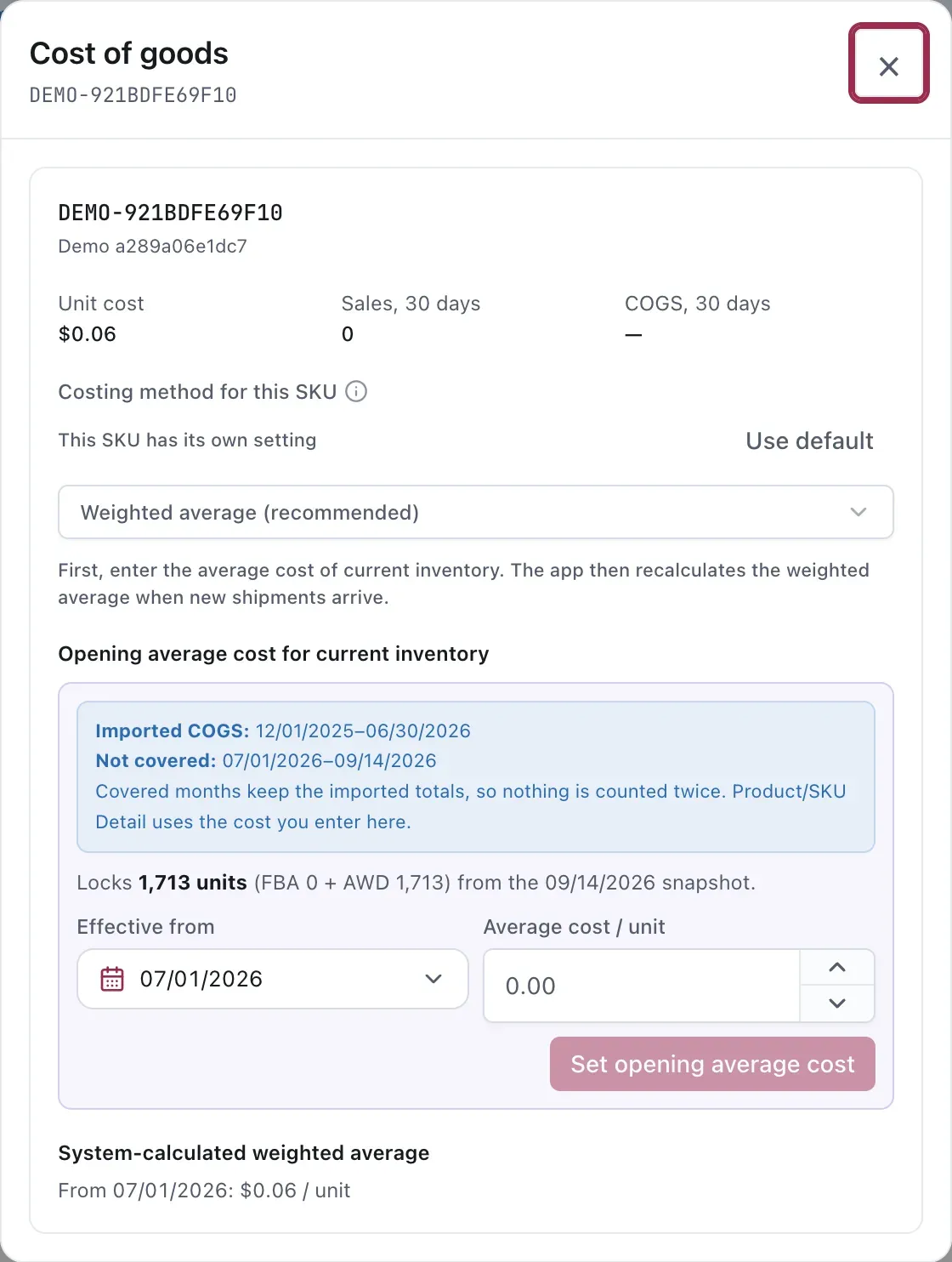
Set the opening cost and effective date before relying on the calculated weighted average.
Costs change, and the App remembers
Section titled “Costs change, and the App remembers”The part worth knowing: Vendlen recognises inbound shipments and remembers the cost that arrived with them.
A product’s cost is not one number for all time. You order at one price in March and another in September, and the units sitting in the warehouse are a mix. A single static COGS gets the recent months wrong in one direction and the older ones wrong in the other.
By tying cost to the shipments it arrived on, the profit figure for a period reflects what the units sold in that period actually cost — rather than what you happen to be paying today.
This is also why Inventory and Supply and Profit Intelligence are related: the purchase orders and inbound lots one tracks are the same events that update the other’s cost basis.
Open Manage COGS → Settings to choose the default method used when new inventory changes unit cost. A SKU can override that default from its own Cost of goods dialog.
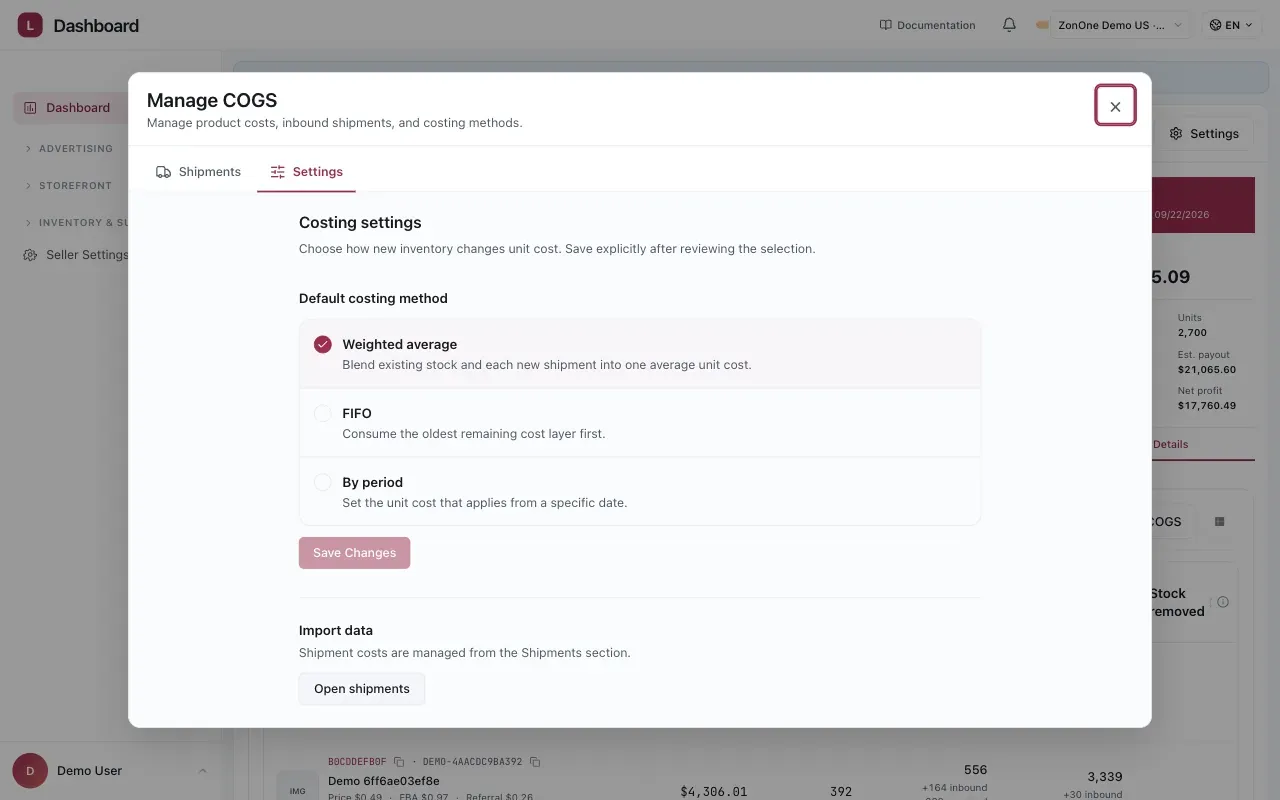
The default applies across the catalog; use a SKU-level override only when that product needs different treatment.
Keeping it honest
Section titled “Keeping it honest”Enter it before you trust the dashboard. A product with no COGS shows profit that is really just revenue minus fees and advertising, which will look excellent and is not real.
Revisit after a price change. A new supplier price, a currency move, or a freight-rate change all alter the landed cost.
Watch pack sizes. A multi-pack costs more per unit sold than a single, and the two are separate SKUs with separate costs. Applying one product’s COGS across all its variants misprices most of them. See Creating a Product Group.
Considerations
Section titled “Considerations”- COGS affects break-even ACOS, and break-even ACOS bounds what a bid is worth. A wrong cost propagates into every advertising decision that reads it — see How the economics resolve.
- Historic profit changes when you correct a COGS. That is intended: the corrected figure is the accurate one.
- COGS is a cost, not a price. Confusing the two produces margins that look impossible, in either direction.
VendlenPrivacy PolicyTerms of ServiceContact
© 2026 HELODA PTE. LTD. Not affiliated with or endorsed by Amazon.