

Campaign Sets
A Campaign Set is a template. You configure the structure once — which ad types, which targeting patterns, what to bid, what creative — and it writes the whole set of campaigns in one go.
The unit it produces is an atomic campaign: one campaign per supported targeting pattern and selected ASIN, each independent rather than one campaign carrying everything. Sponsored Display can produce a separate Conversion and Reach campaign when you select both strategies.
A set is the only route that offers templates and Product Groups. Building one campaign is Create a campaign instead.
What a template expands into
Section titled “What a template expands into”A template names the ad types it covers and the targeting pattern for each. What the picker states is the number of campaign types in it — not the number of campaigns, which is not settled until you have chosen the products.
The picker groups patterns by ad product: six SP, five Sponsored Brands Video, and four patterns for each Sponsored Display creative family. Sponsored Brands Image/Collections are not selectable in a Campaign Set. Each selected pattern becomes one campaign per selected ASIN, and Display creates one campaign per selected optimization strategy.
Why atomic
Section titled “Why atomic”One campaign per pattern means each one has its own budget, its own bids and its own numbers. When Exact converts and Broad does not, you can see it and act on it. A single campaign mixing both hides exactly the distinction you need.
The steps
Section titled “The steps”1. Choose the products and the template
Section titled “1. Choose the products and the template”Search your catalog and pick what to advertise, then pick the structure. See Building from a Product Group.
Templates come from recommended sets, ad-product groups, your own saved templates, and Create custom template. Custom templates can combine any supported SP, Sponsored Brands Video, SD Image, and SD Video patterns.
A template’s badge names how many campaign types it carries. Multiply by the ASINs and selected Display strategies to estimate the campaign count — Preview is where the exact number exists.
2. Set the bid and budget
Section titled “2. Set the bid and budget”Optimization, three bids and a daily budget, applied as defaults across the whole expansion. Covered in Bids and budget for the set below.
3. Choose the targeting
Section titled “3. Choose the targeting”Keywords, product targets, categories or audiences, depending on the ad types in the template. These are chosen once and used across the set, which is what keeps a large expansion coherent rather than a pile of unrelated campaigns. Keywords are given a match type automatically; you can change it.
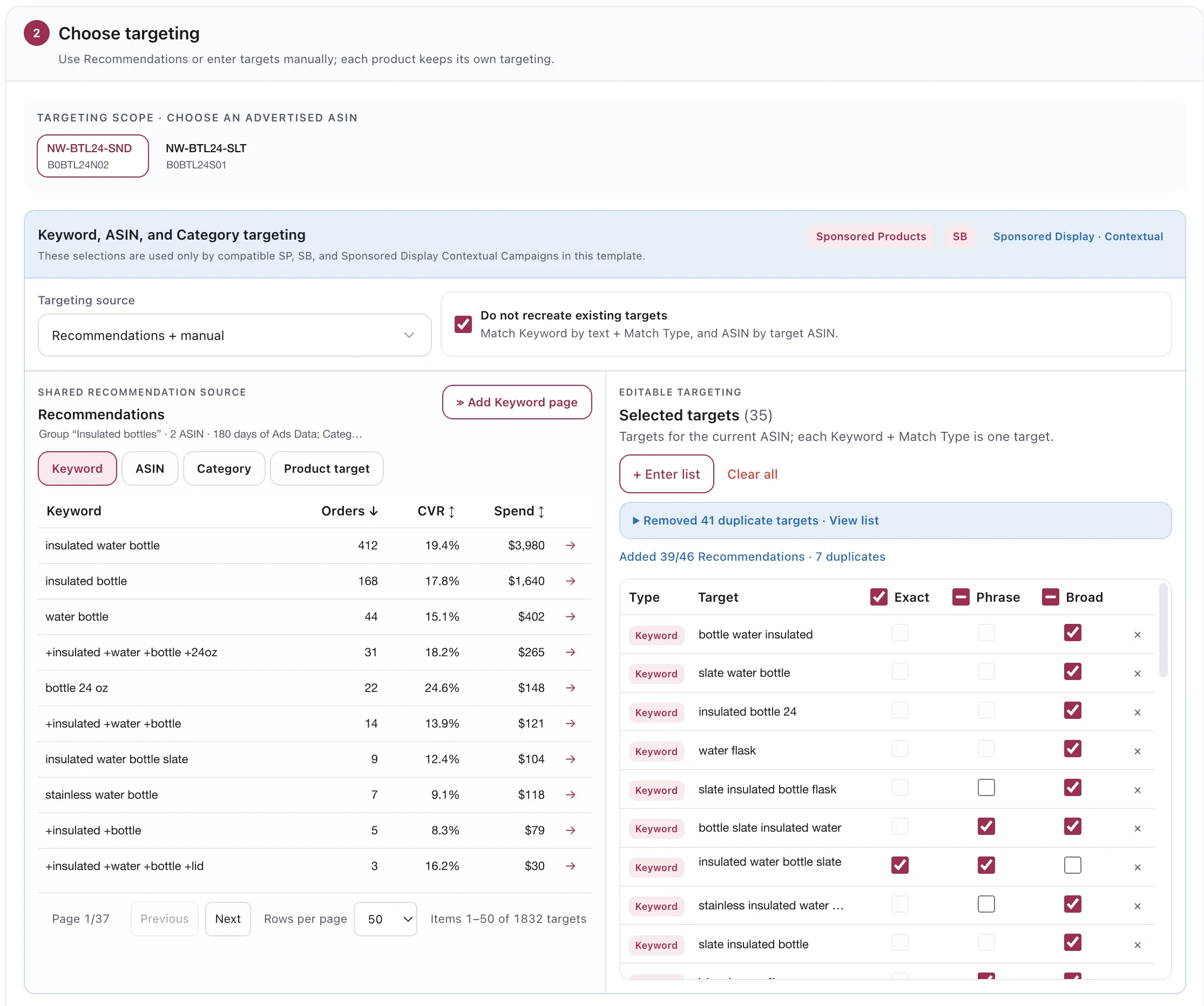
Recommendations carry the evidence for each keyword, so the choice is made against orders rather than intuition.
If the template carries Sponsored Display Remarketing, the same step asks which audience you are pursuing before it can continue.
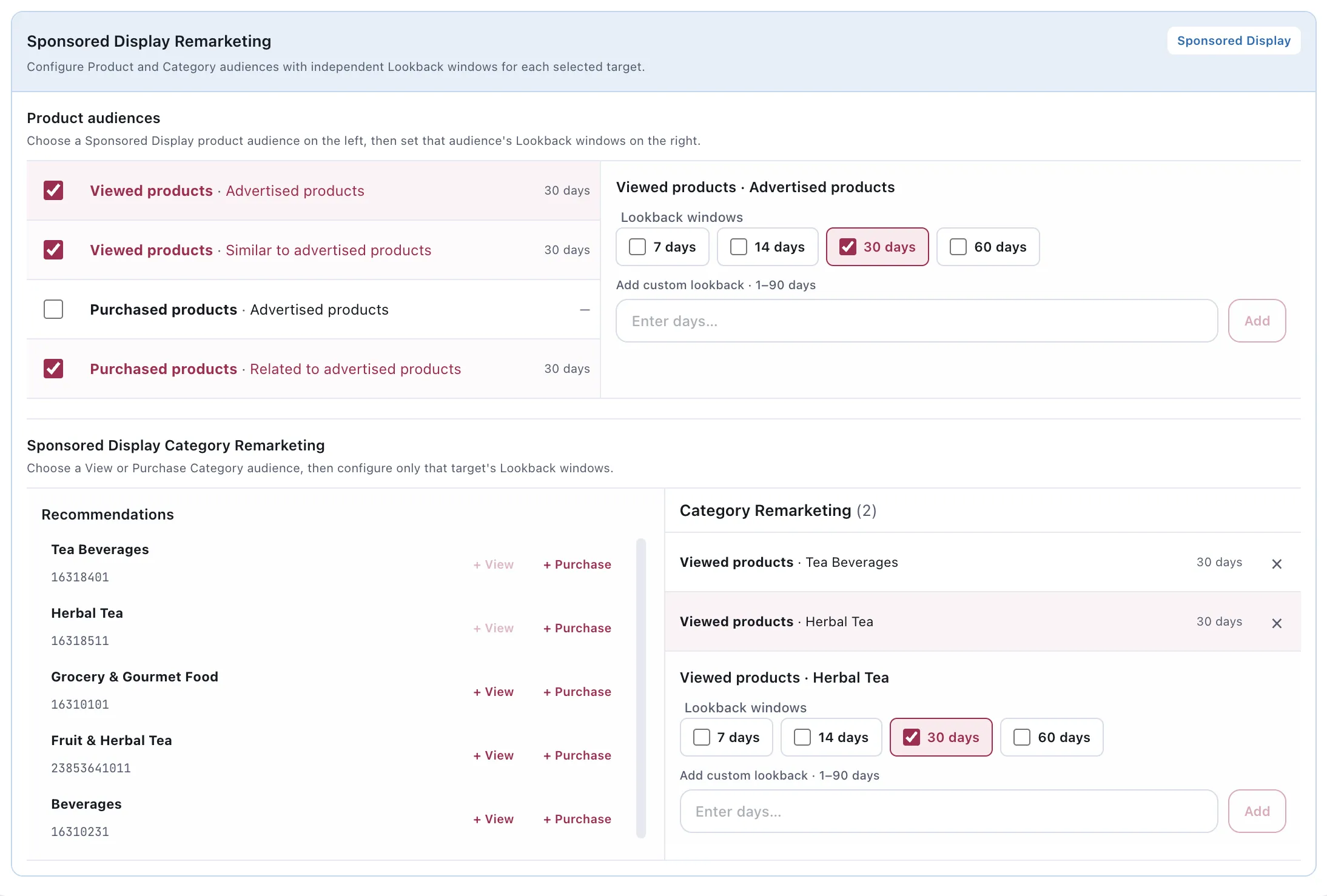
Each audience carries its own lookback window, and “viewed” and “purchased” are different shoppers.
4. Prepare the creative
Section titled “4. Prepare the creative”The set prepares independent shared asset slots for the ad families it contains. Sponsored Display Image uses its optional selected-image slot, while Sponsored Brands Video and Sponsored Display Video use the required shared video slot when either video family is selected. These families can appear together in one set, so you may configure an image alongside the required video creative. Sponsored Brands Image and Sponsored Brands Collections are configured in Create Campaign and are not part of a Campaign Set.
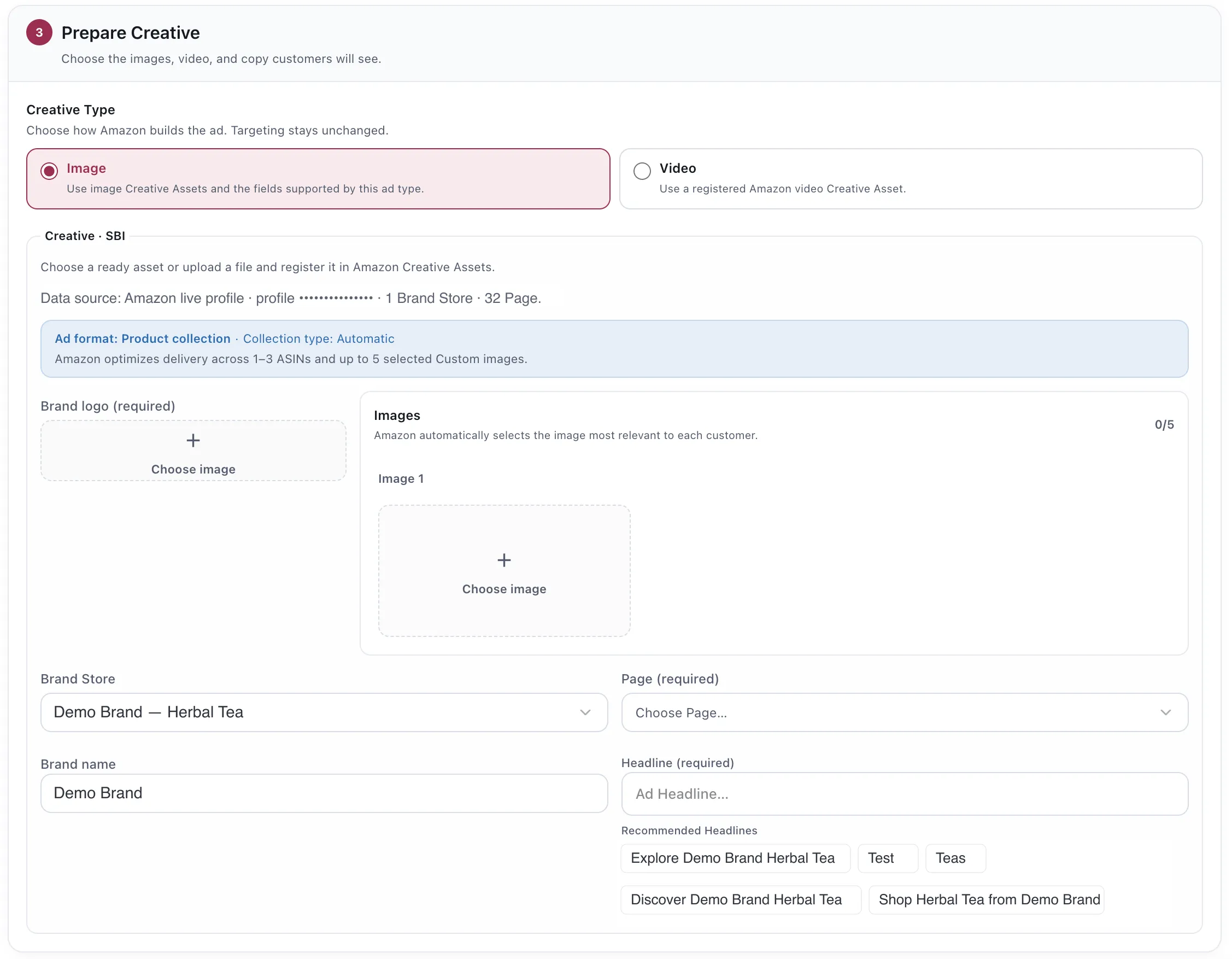
For the creative fields required by each family, see Sponsored Brands and Sponsored Display.
5. Preview and create
Section titled “5. Preview and create”Nothing is written until you have read what it will write. See Preview and create.
Bids and budget for the set
Section titled “Bids and budget for the set”Set once, applied as defaults across the whole expansion.
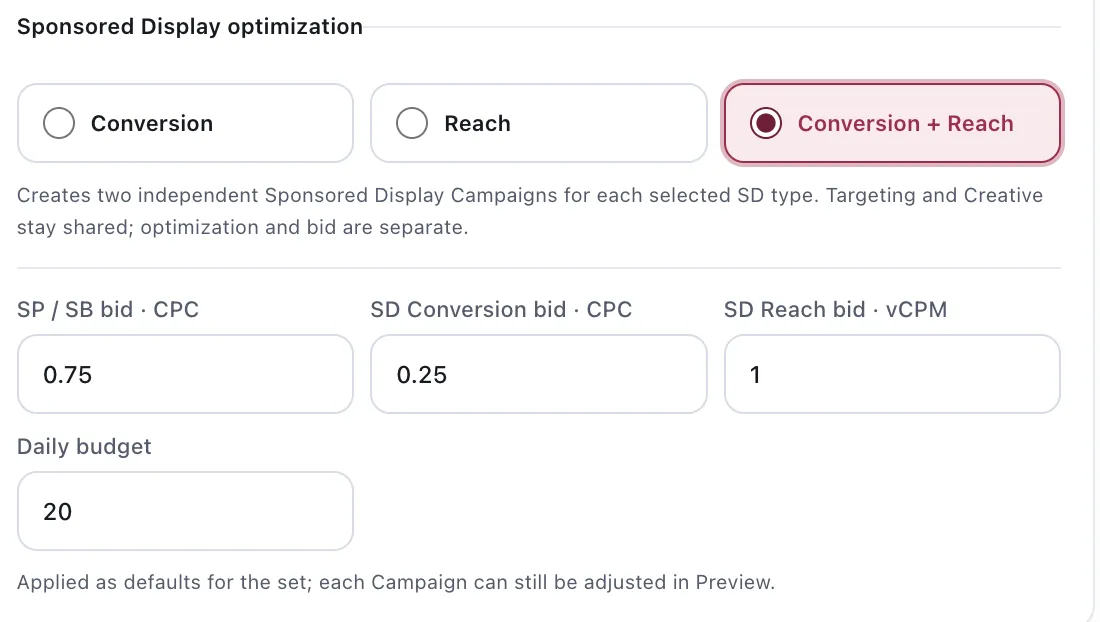
Bids are per pricing model, not per campaign.
Three bid bases are available, because the ad types are not priced the same way:
| Field | Applies to |
|---|---|
| SP / SB Video bid · CPC | Sponsored Products and Sponsored Brands Video, per click |
| SD Conversion bid · CPC | Sponsored Display optimized for conversion, per click |
| SD Reach bid · vCPM | Sponsored Display optimized for reach, per thousand viewable impressions |
A reach bid is not comparable to a click bid. Setting them to the same number is a common and expensive mistake.
Sponsored Display optimization
Section titled “Sponsored Display optimization”Conversion, Reach, or Conversion + Reach. The third creates two independent campaigns for each selected SD type — targeting and creative stay shared, while optimization and bid are separate.
That is the atomic principle again: the same audience pursued with two different goals belongs in two campaigns, so you can tell which goal is paying.
Considerations
Section titled “Considerations”- These are defaults for the set, and bids and budget stay that way — Preview adjusts names, targeting and creative, not the numbers.
- The daily budget applies to each campaign, not to the set. Read the preview total before creating, especially when both Display optimization strategies are selected.
- Everything is created paused. Every campaign and ad group the set writes starts paused, so creating a set spends nothing until you enable it.
- Sponsored Brands Collections are intentionally excluded from Campaign Sets. Use Create Campaign when you need an Image Collection or Store Spotlight.
- Campaign Sets create structure. They do not manage it afterwards — that is Automation.
VendlenPrivacy PolicyTerms of ServiceContact
© 2026 HELODA PTE. LTD. Not affiliated with or endorsed by Amazon.