

Building from a Product Group
Step one of a Campaign Set is choosing what to advertise. The product picker searches your catalog by product name, SKU or ASIN, and shows the first 50 matches — so on a large catalog, searching is faster than scrolling.
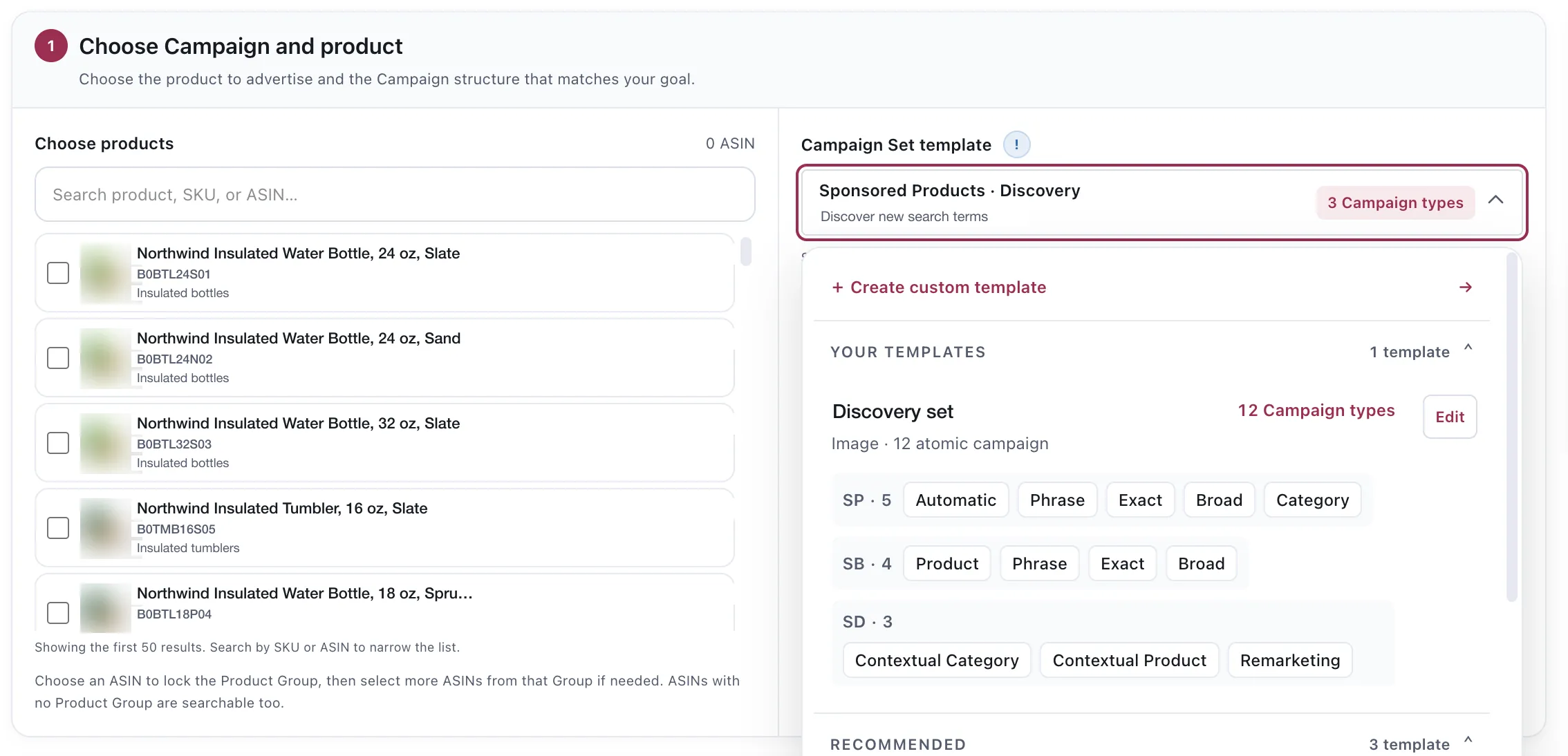
The picker and the template sit side by side: what you are advertising, and the structure it will be advertised with.
Choosing an ASIN locks the Product Group
Section titled “Choosing an ASIN locks the Product Group”The behaviour that surprises people: pick one ASIN and the picker locks to its Product Group. From then on you can add more ASINs from that group, but not from elsewhere.
ASINs that belong to no Product Group are searchable too, and can be advertised on their own.
Why it works that way
Section titled “Why it works that way”A Campaign Set chooses one set of keywords and one creative and uses them across every campaign it writes. That only makes sense for products a shopper would find with the same searches — which is exactly what a Product Group is.
Allowing a mixed selection would mean one keyword set trying to serve two different shoppers, and the set would be wrong for both. The lock is the guardrail that stops you building that.
What this means in practice
Section titled “What this means in practice”Group your variants before you build. A variant that is not in the group cannot join the set, and adding it later means a second set rather than an edit. See Creating a Product Group.
One product per set is fine. A product with no siblings does not need a group, and nothing forces you to create one.
Products that are genuinely different need different sets. If you find yourself wishing you could mix two groups into one set, that usually means the keywords are wrong for one of them.
The economics come with the product
Section titled “The economics come with the product”Every ASIN you select carries the numbers it resolved to — break-even ACOS, target ACOS and max bid — from its Group, its Product Line, or the account default. Those bound what the campaigns you are about to create are allowed to bid.
A product with no resolved economics can still be advertised, but the rules that run on it afterwards will have nothing to work from. See How the economics resolve.
Considerations
Section titled “Considerations”- The picker shows the first 50 results. If what you want is not there, search rather than scroll.
- Locking is per set, not permanent. Starting a new set starts a new selection.
- Adding an ASIN to a Product Group later does not retro-add it to sets you have already created.
VendlenPrivacy PolicyTerms of ServiceContact
© 2026 HELODA PTE. LTD. Not affiliated with or endorsed by Amazon.